External Hard Drive Clicking or Beeping? What to Do First
If your external hard drive suddenly starts clicking or beeping repeatedly and contains files you need, switch it off and disconnect it. If it has a separate power adapter, switch that off too. Leave the drive disconnected while you decide how to recover your files.
An occasional soft click can be part of normal operation. A new, repetitive sound is more concerning, especially if the drive stops showing up, freezes during file transfers or was recently dropped.
Why is my external hard drive clicking or beeping?
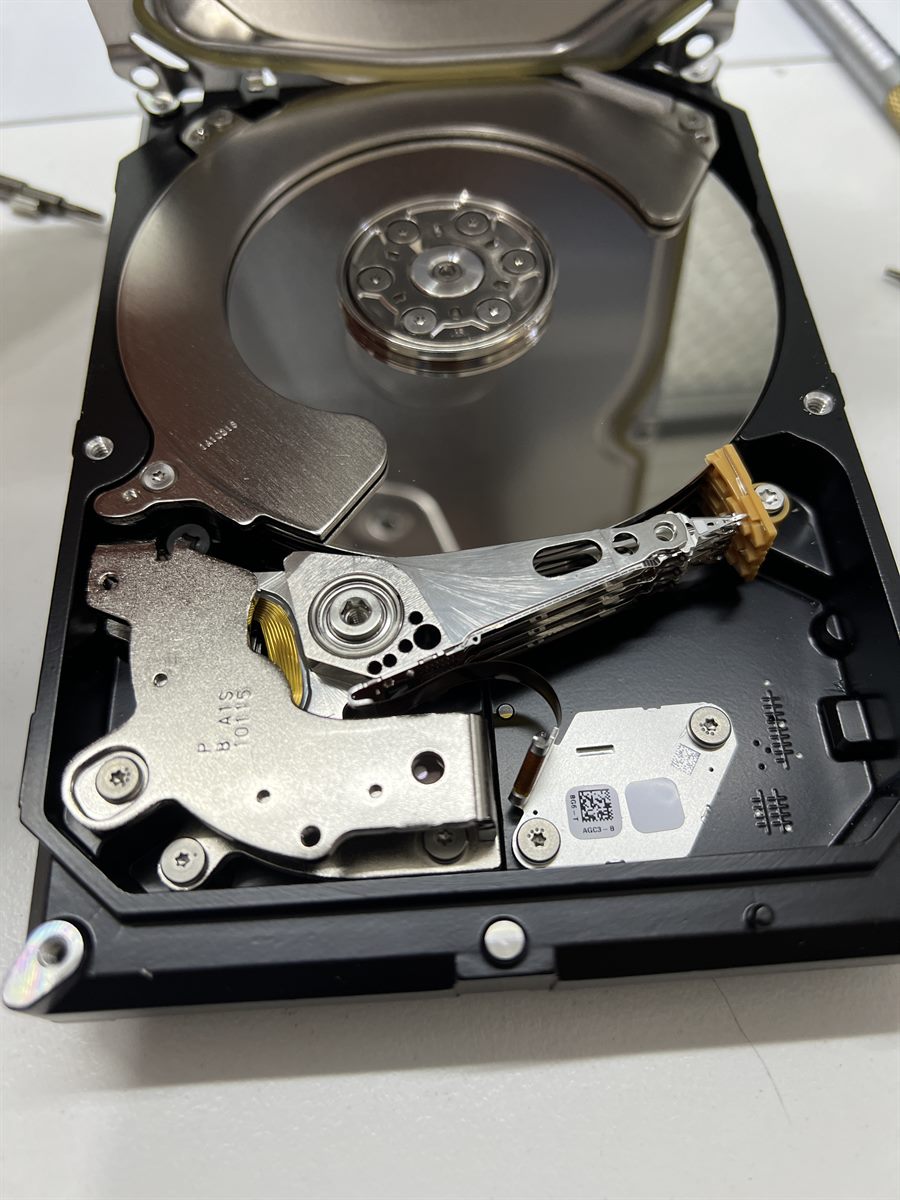
Repeated clicking or ticking can happen when the drive struggles to read the information it needs to start up or access files. Damaged read/write heads are one possible cause.
Beeping or buzzing can happen when the drive struggles to spin up. Some USB-powered drives make this sound when they receive insufficient power. An internal fault can also prevent the drive from spinning. The sound alone can’t tell you which part has failed. Seagate’s guide to identifying hard drive sounds explains which sounds are normal and which can signal a problem.
What should I avoid if I need the files?
- Repeatedly powering the drive on. If the heads or platter surfaces are damaged, further attempts to run the drive can make recovery harder.
- Running recovery software, accepting repair prompts or formatting the drive. Scans can put additional stress on a failing drive. Repair and formatting tools can write to it.
- Opening the sealed drive or putting it in the freezer. Opening the drive exposes the platters to dust. Freezing can cause condensation when the drive warms up.
How does professional hard drive recovery work?
At Data Recovery Centre, we assess the drive to find out whether the fault is in the external enclosure, the electronics or the internal mechanism. If the read/write heads have failed, recovery may require compatible donor parts.
Once the drive can read data, we aim to copy as much readable data as possible to another device. We then work from that copy to extract files. The condition of the original drive determines how much data can be recovered.
See our hard disk drive data recovery service or read our Seagate head replacement case study for an example of how a head failure is handled.
How much does clicking hard drive recovery cost?
The quote depends on what failed and whether the drive needs donor parts. We inspect the drive first and explain your recovery options before you decide whether to proceed. If you decline after inspection, there’s no inspection fee. Collection or return postage is at your cost.
Where can I get my hard drive assessed?
You can drop off your drive in Coopers Plains, Brisbane, or Parramatta, Sydney. When you get in touch, tell us the drive’s brand and model, when the sound started, whether it was dropped and which files you need most.